Remove Scratches From CDs and DVDs

1. Spread a cloth on a flat surface and place the CD/DVD on it.
2. Then, hold the disc with one hand, use the other to wipe the polish into the affected area with a soft cloth.
3. Wait for it to dry and buff using short, brisk strokes along the scratch, not across it.
4. A cloth sold to wipe spectacles or camera lenses will work superb.
5. When you can no longer see the scratches , wash the disc with water and let it dry before playing. Intersting isnt it? Try it right now
2. Then, hold the disc with one hand, use the other to wipe the polish into the affected area with a soft cloth.
3. Wait for it to dry and buff using short, brisk strokes along the scratch, not across it.
4. A cloth sold to wipe spectacles or camera lenses will work superb.
5. When you can no longer see the scratches , wash the disc with water and let it dry before playing. Intersting isnt it? Try it right now
I have used toothpaste with good effects before Ive also used car paint cutting compound on deeper scratches. It does leave lots of smaller scratches (as it is a cutting compound after all) but it will remove the worst scratches in most cases.
General..Reasons For Scratches On Disks are :
* Fingermarks/prints cause 43% of disc problems.
* General wear & tear causes 25% of disc problems.
* Player-related issues cause 15% of disc problems.
* Remaining Others
* Fingermarks/prints cause 43% of disc problems.
* General wear & tear causes 25% of disc problems.
* Player-related issues cause 15% of disc problems.
* Remaining Others
Turn Off your PC in different styles (Tutorials)

1. The standard approach ::click the Start Button with your mouse, then select the Turn Off menu and finally click the Turn Off icon on the Turn Off computer dialog.

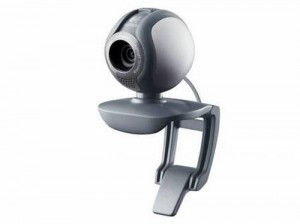 The advent of video calling has brought a significant change in this fast growing world ofinternet. For quick contacts and instant messaging, video calls have widely replaced the emails and text chatting. There are various video calling software, all of these are very very easy to understand and to access.
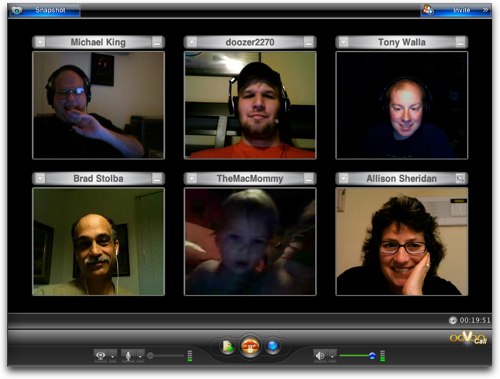 ooVoo is an awesome software used largely used for video calling services. Its best part is that we can use this amazing software for group video calling as well. ooVoo is available now only for Windows, but, also for Mac and it is easily accessible in your iPhones. Android phones are also supported. ooVoo is one of the top free video calling software which has over 35 million users and has a very large fan base. In ooVoo, we can video chat with 12 different persons at a time. We can also record and send our entire video chat.
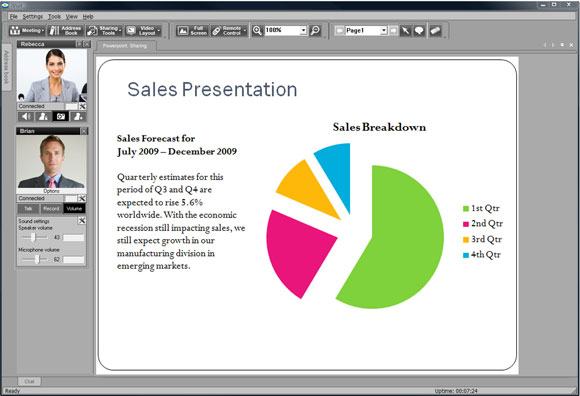

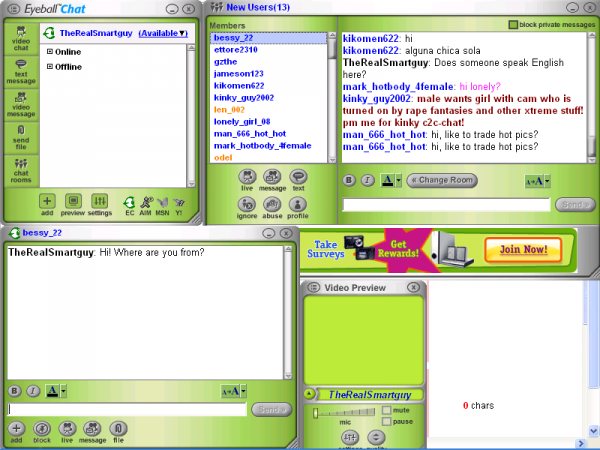 Eyeball Chat is another very good FREE video calling software very well known for its group chatting features. Multiple video conferencing and files and photo sharing is a very useful addition to this software. Chat Rooms available in Eyeball Chat which enables the users find new friends.
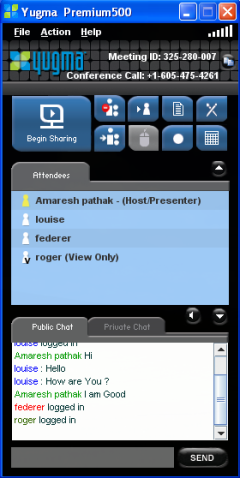 Yugma software provides FREE web conferencingsolutions for personal use as well as organizational use. It is easy to use which is available for the Windows, Mac and Linux computers and are easy to get to. Yugma is widely popular for online advertising companies and other organizations.
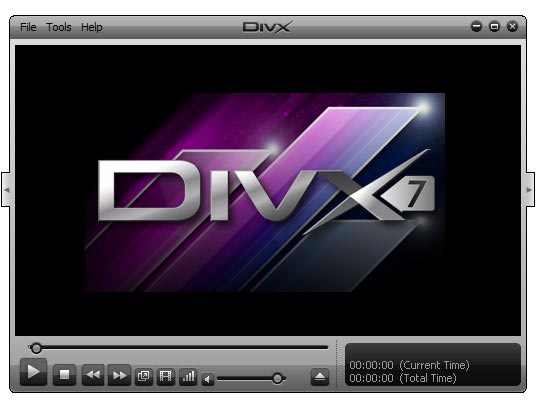 Another best performing media player is the DivX plus player which plays DivX®, AVI, MKV, MP4 or MOV file, DivX Plus® format videos with the most epic results in your PC. And with the addition of DivX To Go™, DivX Plus Player is the easiest way to transfer your videos to a DivX Certified® device. DivX to GO is a new feature that lets you transfer all your videos to any DivX devices. It also prepares all your videos to be played outside your PC. MKV feature ensure the best high definition picture and sound quality, Multiple subtitles and audio tracks (up to 8), Smooth fast-forward and rewind.
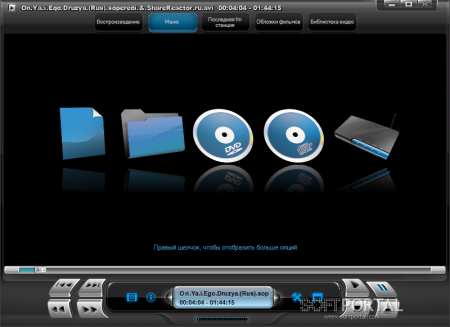 Kantaris is another free source media player that can play any media file with excellent sound and beautiful picture quality. Simple and easy to understand user interface makes it no task to operate it. Its unique feature of finding subtitles which fits the most is very appreciated and enjoyed by its users.

2. The fastest approach::Press Ctrl+Esc key or the Win key and press u two times –
3. Get the Shutdown utility from Download.com ,it add the shut down shortcuts for you.Else create them yourself using approach 4.
4. Create a shutdown shortcut on your desktop. Right click on the desktop, choose New Shortcut and type shutdown -s -t 00 in the area where you are asked to specify the location of the program file. Now you can just double click this icon to turn off the computer. The best location would be your quick launch bar.
5. Press the Win key + R key to open the run window. Type shutdown -s -t 00.[s means shutdown while t means the duration after which you want to initiate the shutdown process].If some open processes or application won’t let you turn off, append a -f switch to force a shut down by closing all active processes.
6. Win+M to minimize all windows and then Alt+F4 to bring the Turn Off computer dialog.
7. Open Windows Task manager (by right clicking the Windows Task bar or Alt+Ctrl+Del)and choose Shut down from the menu. Useful when the Windows are not responding.
8. open task manager—>click on shutdown—>hold the ctrl key and click on Turn off pc will be turned off in 3 secs..
3. Get the Shutdown utility from Download.com ,it add the shut down shortcuts for you.Else create them yourself using approach 4.
4. Create a shutdown shortcut on your desktop. Right click on the desktop, choose New Shortcut and type shutdown -s -t 00 in the area where you are asked to specify the location of the program file. Now you can just double click this icon to turn off the computer. The best location would be your quick launch bar.
5. Press the Win key + R key to open the run window. Type shutdown -s -t 00.[s means shutdown while t means the duration after which you want to initiate the shutdown process].If some open processes or application won’t let you turn off, append a -f switch to force a shut down by closing all active processes.
6. Win+M to minimize all windows and then Alt+F4 to bring the Turn Off computer dialog.
7. Open Windows Task manager (by right clicking the Windows Task bar or Alt+Ctrl+Del)and choose Shut down from the menu. Useful when the Windows are not responding.
8. open task manager—>click on shutdown—>hold the ctrl key and click on Turn off pc will be turned off in 3 secs..
Some new web browsers for you
All the people know about the regularly used browsers like Internet Explorer, Mozilla Firefox, Google Chrome, Netscape Navigator, Safari and Opera for pc. But if you want to spice up your browsing and try some thing new try the below listed browsers , whom youy have never heard of.
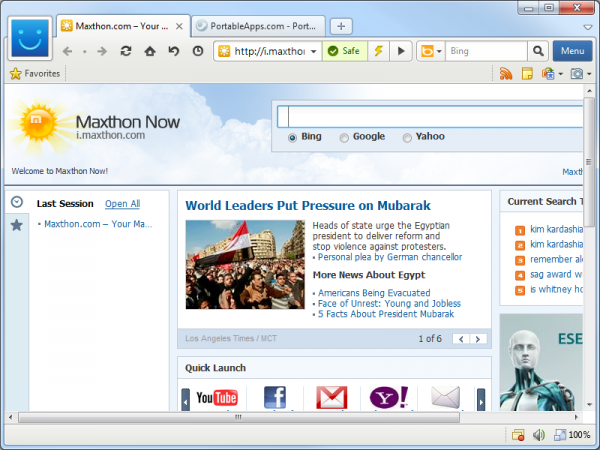
Maxthon
Maxthon was founded in 2004 and succeeded in providing features which are new and friendly. Interesting fact to know about this browser is that Maxthon became the first browser with tabs in 2005.
Some of its nicest features found in latest ‘Maxthon 3’ are:
The real feature of this web browser is that it provides the shortest startup time ever! Yes, Maxthon comes with a browser engine that opens pages 200% faster than the latest Google Chrome.
These exclusive features make this browser outstanding. The only thing that puts Maxthon behind is its Privacy, this browser lacks a privacy mode and it’s more difficult to use than other applications.
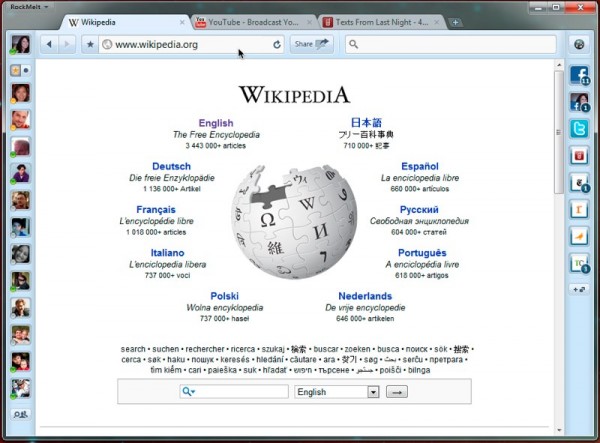
Rockmelt
Rockmelt web browser founded in 2008, has some amazing features specially for social networking users. This browser is created on Google’s Chrome code.
Some mind blowing features like built-in Facebook chat, quick share button to social networking sites, Instant news and updates from Social networking sites like Facebook, Twitter, Tumblr and more, and integrated browser search engine (Webkit, Chromium) will inspire today’s internet users around the world.
So far no such issues like startup time and crashes have been recorded unless it is the beta version. Rockmelt might get the title of social networking browser in future.
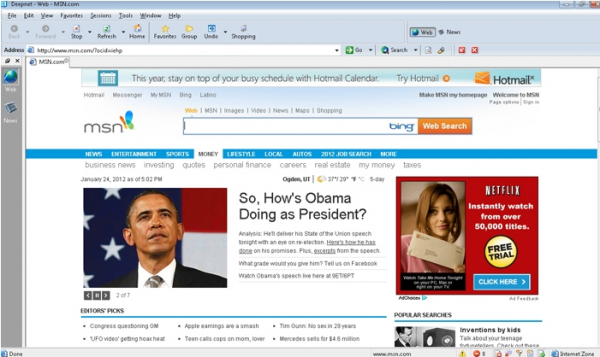
Deepnet
Deepnet explorer is an average ranked substitute for today’s famous web browser as it has as much as what’s needed. It is also free to download and use.
It has RSS Reader and P2P Client rio, but it do lacks with some user friendly features and security issues as it doesn’t block spywares and viruses, although they are trying to come up with the solution soon. However it does contain all the features of a better and fast web browser.
SeaMonkey
SeaMonkey is built on open source Mozila Gecko engine, which is the same code used in production of famous Firefox and Thunderbird. It comes with the SeaMonkey Navigator, a news and email client program, a HTML editor and and IRC client, which allows for chatting.
These exclusive features are much easy to use; the email has an email filter, a dictionary, HTML message support, an address book and other options that help the user in composing emails without difficulties. This easy to use web browser is packed with great features that internet users will appreciate using this product.
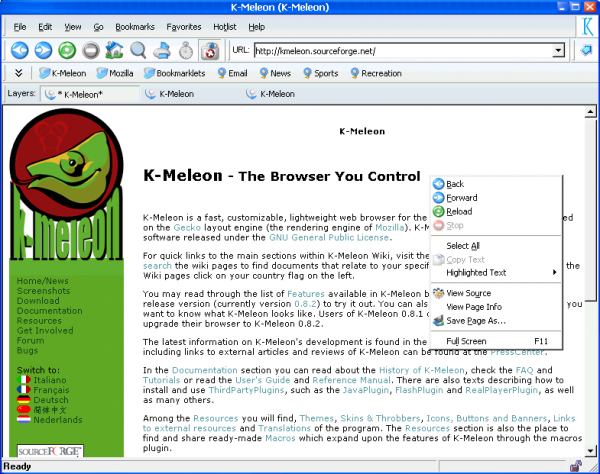
K Meleon
It is the browser you control, a very lightweight, fast web browser based on Gecko engine by Mozilla. This browser may be very light but not very much user friendly.
It does not contain some tools, you cannot easily import bookmarks from other browsers and it has an old style VGUI. If you want to go with an old school web browser then K Meleon is one of the best choices you want to go for.
Some Free video Calling Softwares
The advent of video calling has brought a significant change in this fast growing world ofinternet. For quick contacts and instant messaging, video calls have widely replaced the emails and text chatting. There are various video calling software, all of these are very very easy to understand and to access.
They all just require a PC and fast internet connection. Video Calling is indeed an important tool for many business meetings and also a very useful tool for your home use to stay in touch with your far-distant friends and relatives.
Top FREE Video Calling Software
ooVoo
ooVoo is an awesome software used largely used for video calling services. Its best part is that we can use this amazing software for group video calling as well. ooVoo is available now only for Windows, but, also for Mac and it is easily accessible in your iPhones. Android phones are also supported. ooVoo is one of the top free video calling software which has over 35 million users and has a very large fan base. In ooVoo, we can video chat with 12 different persons at a time. We can also record and send our entire video chat.iVisit
iVisit is another very useful software for two way video calling. The best features of iVisit include video and audio chatting, also, we can share documents while on call and also we can view the other person’s desktop with whom we are video calling. iVisit works on Peer to Peer network technology. This unique video calling software is highly usable for your organization. iVisit works on all desktop computers and also on all types of mobile devices.
Skype
Skype, one of the Top FREE Video Calling Softwareprovides a very easy to use and easy to understand environment for video calling and audio calling. Skype is available for all types of computer operating systems and also for iPhones, iPads, iPod Touch, and also for Android phones. Skype has recently been bought by the Microsoft, which has contributed towards making this great software more convenient. Skype enables two way video calling demanding very simple system configurations and internet speed. Skype also enables screen sharing and it now it can also be installed in your TV sets !!
Eyeball Chat
Eyeball Chat is another very good FREE video calling software very well known for its group chatting features. Multiple video conferencing and files and photo sharing is a very useful addition to this software. Chat Rooms available in Eyeball Chat which enables the users find new friends.Yugma
Yugma software provides FREE web conferencingsolutions for personal use as well as organizational use. It is easy to use which is available for the Windows, Mac and Linux computers and are easy to get to. Yugma is widely popular for online advertising companies and other organizations.Ekiga
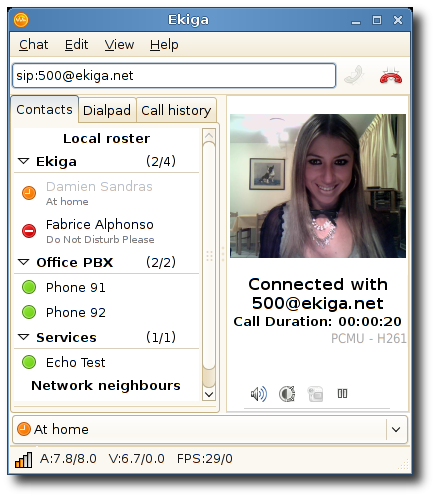
Easy to use video calling software with excellent Graphical User Interface. It enables video calls tolandline phones and cell phone as well. The amazing feature of Ekiga is that it enables Call Holding, Call Transferring and Call Forwarding. High quality sound and video is provided by Ekiga.
5 Media Players that can Play any Audio and Video Format
GOM Media Player
GOM media player is one of the most popular media player. It is full fleshed video player satisfying all your playing needs. With its built-in support it easily plays videos and audios by default (AVI, MP4, MKV, FLV, WMV, MOV, etc), formats with excellent picture and sound quality. Its easy and comprehensive user interface kills all the difficulties that you might fear to face while operating it.Advanced customization feature gives you all the authority personalize it according to their choice and needs. Other advanced features of it like A-B repeat, screen capture, audio capture, playback speed control, and video effects gives you every reason to download this media player for free in your PCs now!
DivX Plus Player
Another best performing media player is the DivX plus player which plays DivX®, AVI, MKV, MP4 or MOV file, DivX Plus® format videos with the most epic results in your PC. And with the addition of DivX To Go™, DivX Plus Player is the easiest way to transfer your videos to a DivX Certified® device. DivX to GO is a new feature that lets you transfer all your videos to any DivX devices. It also prepares all your videos to be played outside your PC. MKV feature ensure the best high definition picture and sound quality, Multiple subtitles and audio tracks (up to 8), Smooth fast-forward and rewind.Kantaris Media Player
Kantaris is another free source media player that can play any media file with excellent sound and beautiful picture quality. Simple and easy to understand user interface makes it no task to operate it. Its unique feature of finding subtitles which fits the most is very appreciated and enjoyed by its users.KPlayer
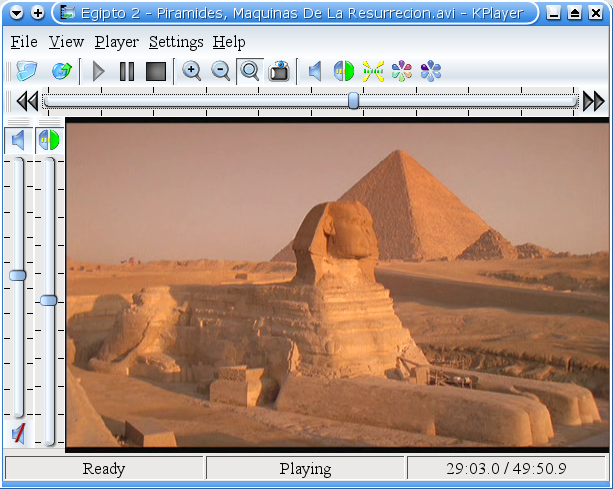
KPlayer is a KDE player that plays all the videos and audios file like URL, DVD, VCD, audio CD, TV, DVB, and KDE I/O Slaves with the subtitles. Features like media library helps you organize your media files other then this zooming in, full screen mode , setting contrast, brightness and volume gives you complete freedom to play file according to your desire.
VLC Media Player
VLC media player is no doubt, one of the best media players that can play any media file that supports all the file formats like (MPEG-1, MPEG-2, MPEG-4, H.264, DivX, MPEG-1, MP3, DVD, Ogg, AAC) and many more. An easy to use and completely friendly user interface makes you enjoy your favorite videos, songs like never before.


No comments:
Post a Comment